
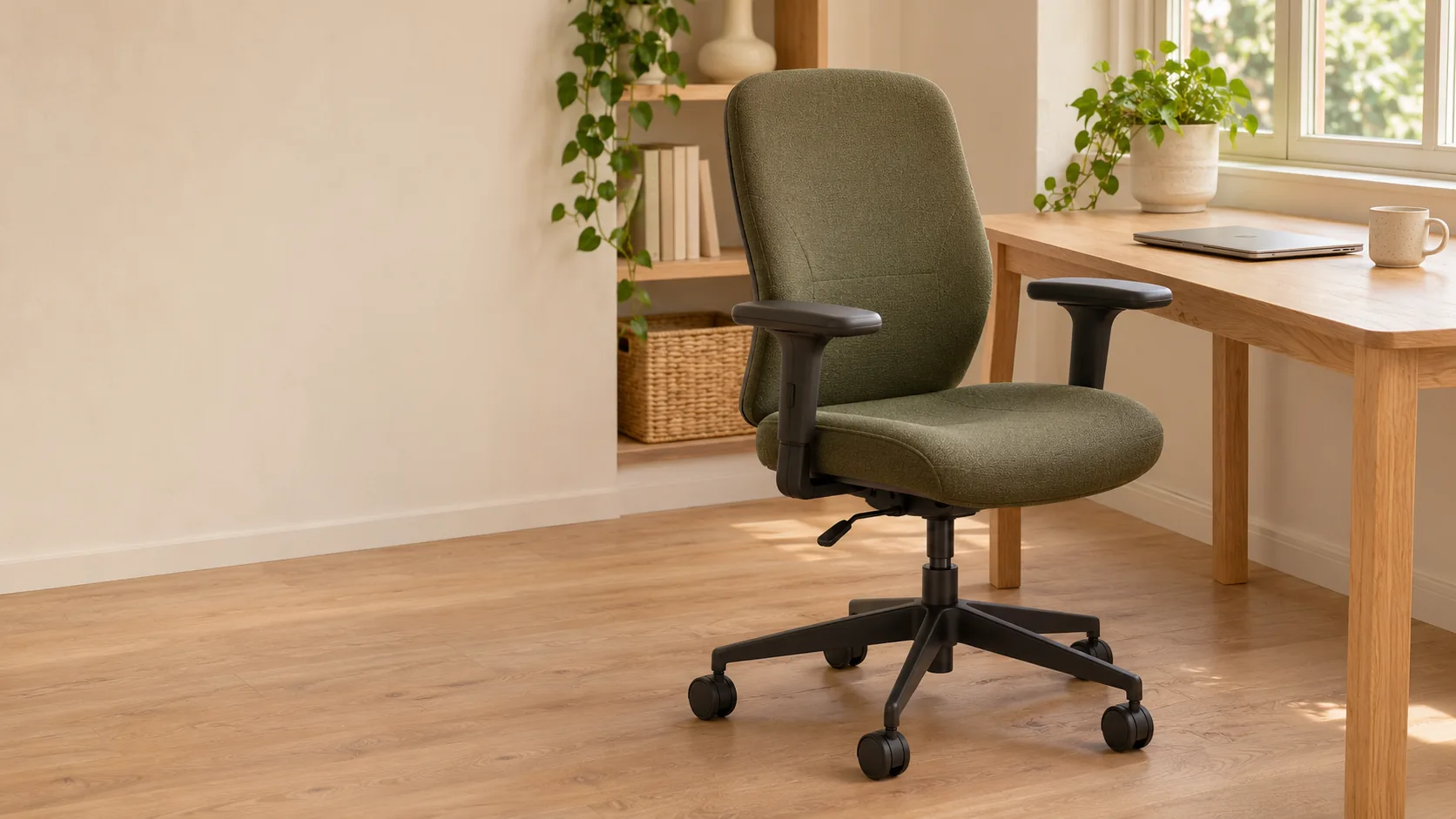
Start with the job it needs to do
A chair for short paperwork sessions may be judged differently from one used throughout a working day. List the tasks you do, the desk height, the floor surface and any equipment that fixes your position.
Task chair is a broad product description rather than a promise of particular adjustments. Read the specification for seat height, depth, back support, arms and tilt rather than counting controls in a photograph.
Match the chair to the person
OSHA's workstation guidance highlights support for the back, legs and arms, adjustable fit and a stable five-point base. Use the available adjustments to seek a supported working position with feet supported and room behind the knees.
Try the chair at a comparable desk if possible. Check whether controls are reachable while seated and whether the useful settings remain stable. An extensive adjustment range has little value if it does not include the position you need.
Check desk clearance and arm placement
Measure the space beneath the desk, including drawers or a keyboard tray. Confirm that the chair can approach the work surface without the arms colliding with it or forcing you to sit farther away than intended.
Look at the entire setup when adjusting height. A chair cannot independently solve a fixed desk, keyboard or screen position that does not suit you. If needed, ask your workplace for a workstation assessment rather than trying to compensate with cushions alone.
Match the base and casters to the floor
Check which casters the manufacturer approves for carpet or hard flooring and whether alternatives are available. Confirm any mat requirements and avoid improvising replacement parts that do not fit the chair specification.
Make sure the chair has room to move without hitting nearby storage or obstructing a walkway. If the workspace is also a dining area, compare the tradeoff with a side chair, which usually offers fewer adjustments.
Read the ownership details
Ask about the intended user range, load limit, assembly, replacement parts and warranty. Keep the model number so you can identify compatible components later.
Appearance still matters in a home workspace, but choose the adjustment range before the upholstery color. If an occasional high-back chair appeals visually, check its intended use instead of assuming that a tall back makes it a work chair.
Set the chair for a real work task
A task chair should support the work position, not just look like an office chair. Sit at the desk you use, place feet flat or on an appropriate footrest and check that shoulders relax while typing. Adjust seat height, back support and armrests according to the chair's instructions. OSHA's workstation chair guidance explains why fit and adjustment matter. If several people share the chair, test whether each can reach a useful setting without a long reset.
Check the whole workstation
A good chair cannot fix a screen that is too low or a keyboard that forces awkward reach. Measure desk clearance for armrests and knees. Roll the chair on the intended floor and check whether the casters are suitable; use a compatible mat if needed. A chair that reclines may need space behind the desk. Take a short break and return to the chair before deciding on comfort, because first impressions can hide pressure points. Ask for a return policy that permits a realistic trial.
Read the service details
Check the stated user weight, adjustment range, warranty and availability of replacement casters, arms or gas lift. Inspect the base and mechanism rather than assuming all task chairs are built the same. Follow assembly instructions and tighten parts as directed. If a chair wobbles or drops unexpectedly, stop using it until the fault is resolved. For persistent pain or a disability-related need, seek suitable professional ergonomic advice; a generic product category is not a clinical fitting.
Set a review date after purchase
After a week of normal work, note whether the seat height, support and desk relationship still feel right. Adjust one setting at a time and keep a record if several people use the chair. A new chair may need a different monitor or keyboard position. If discomfort continues, reassess the whole workstation rather than adding cushions that block the chair's intended support. Keep packaging until the return window closes and inspect the chair for damage before discarding it.
Common questions
Is a task chair always ergonomic?
The description does not guarantee that the chair fits you or your workstation. Check the specific adjustments and try them with your desk setup. Fit and usable support matter more than the label.
Does a task chair need arms?
That depends on the design and your working setup. If arms are included, check that they adjust appropriately and do not prevent you from approaching the desk. Evaluate the whole seated position rather than one feature alone.
Is a mesh back better than an upholstered back?
Neither material alone establishes a better fit. Compare the support shape, adjustment range, feel and care requirements. Try the actual model where possible, since chairs using the same material can feel quite different.
Can a task chair fix back pain?
A chair should not be treated as a diagnosis or a guaranteed treatment. Choose a supportive setup, and seek qualified advice for persistent symptoms. A workstation assessment can help identify adjustments beyond the chair itself.